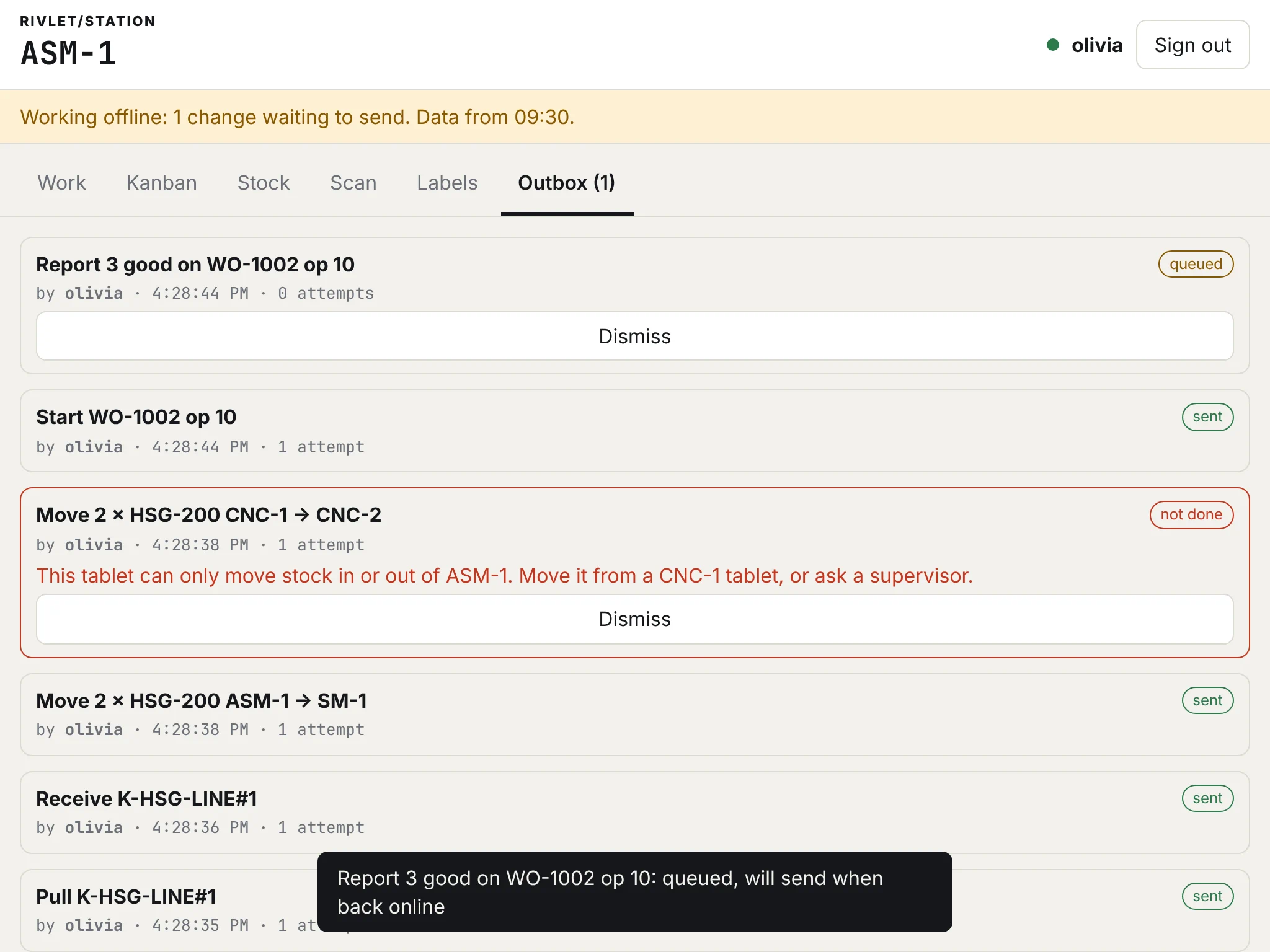
Refusals in plain words.
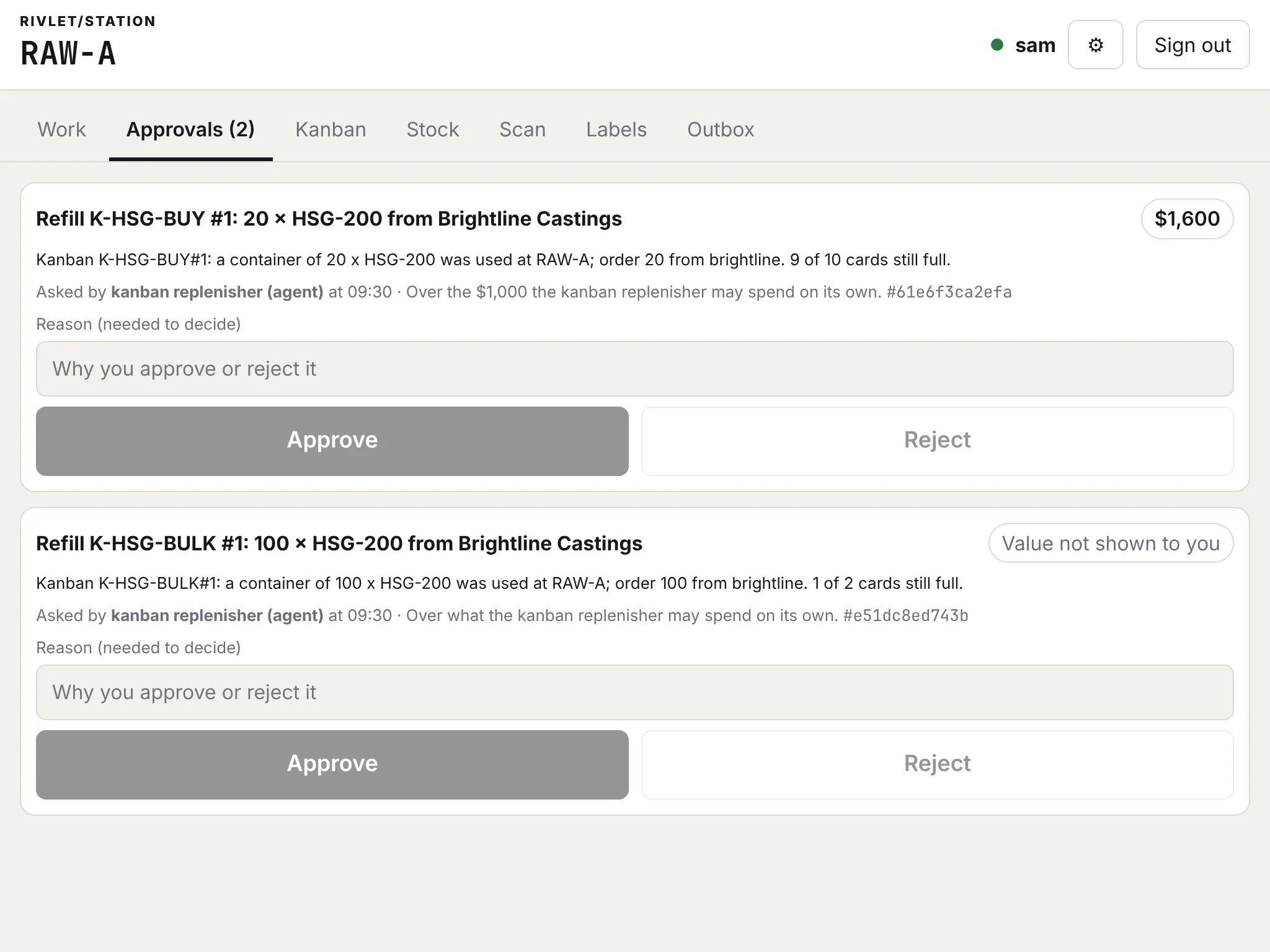
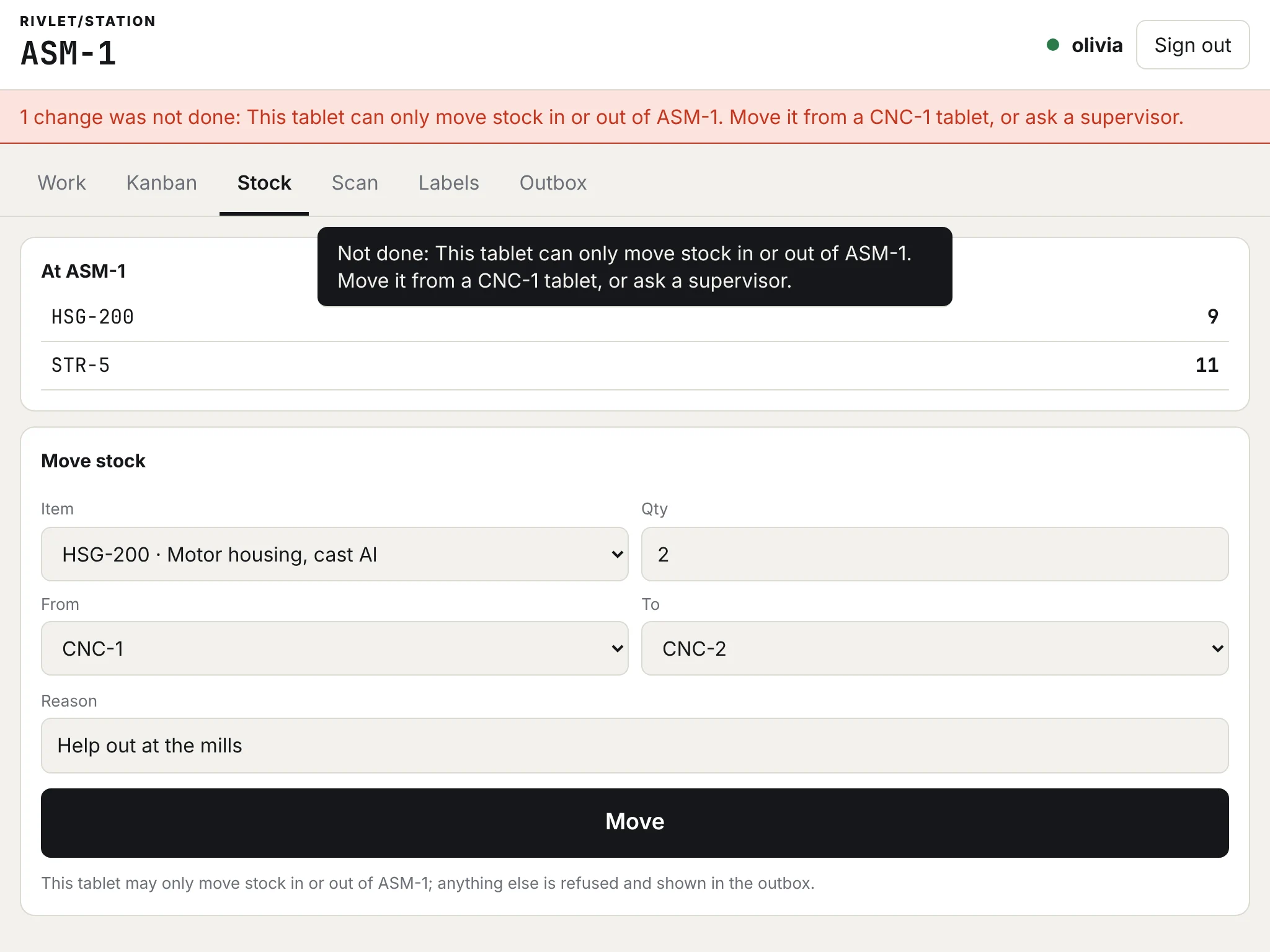
“This tablet can only move stock in or out of ASM-1. Move it from a CNC-1 tablet, or ask a supervisor.” What it may not do, and what to do instead.
Shop operating system for manufacturers
Rivlet keeps one record of the plant. A web order, the work it needs, each report from the station that makes it and the shipment that closes it are events in one hash-chained log, each saying who did it. Every decision keeps its reason: a person's in their own words, a rule's by naming the rule.
The live demo opens soon at demo.rivlet.io, with an account for each role.
Real footage from the demo plant: the office shell beside the ASM-1 and FG station tablets.
01 One order
Shopify #1001 is 60 motors. Follow it from the checkout to the shipping dock in six steps. Every picture is a frame of the same filmed run.
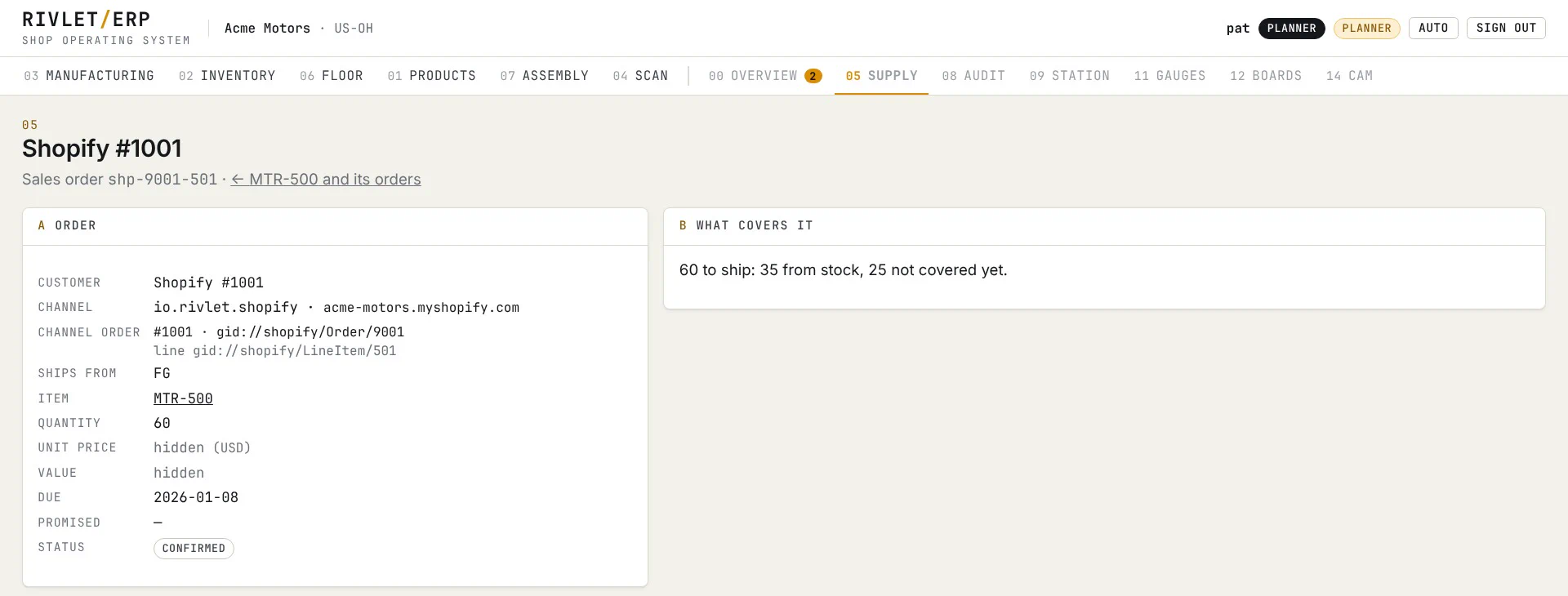
The Shopify app records the order in Rivlet as itself: one sales order per line, shipping from finished goods. Rivlet works out what covers it: 35 from stock, 25 not covered yet.
Shopify app · 05 Supply
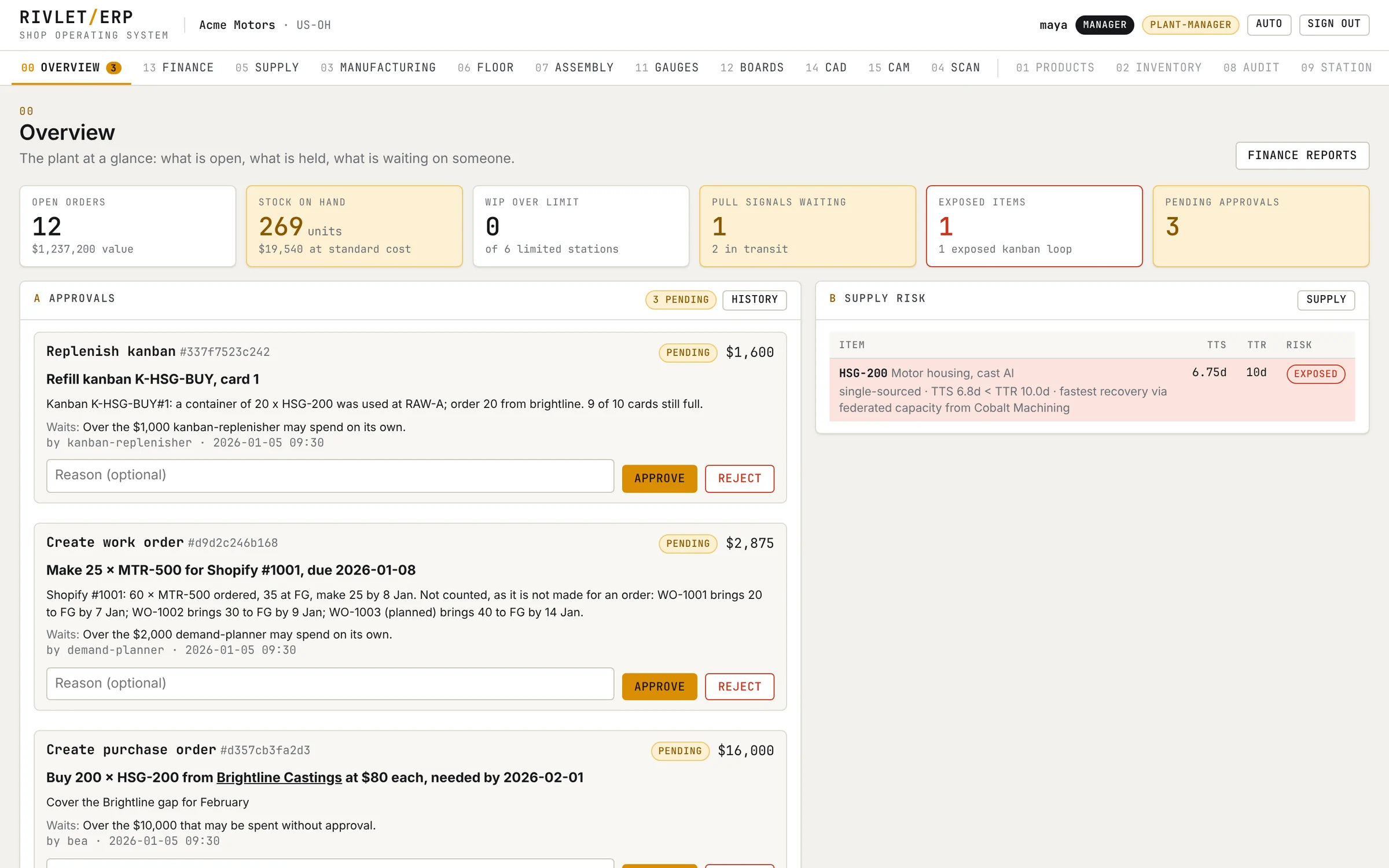
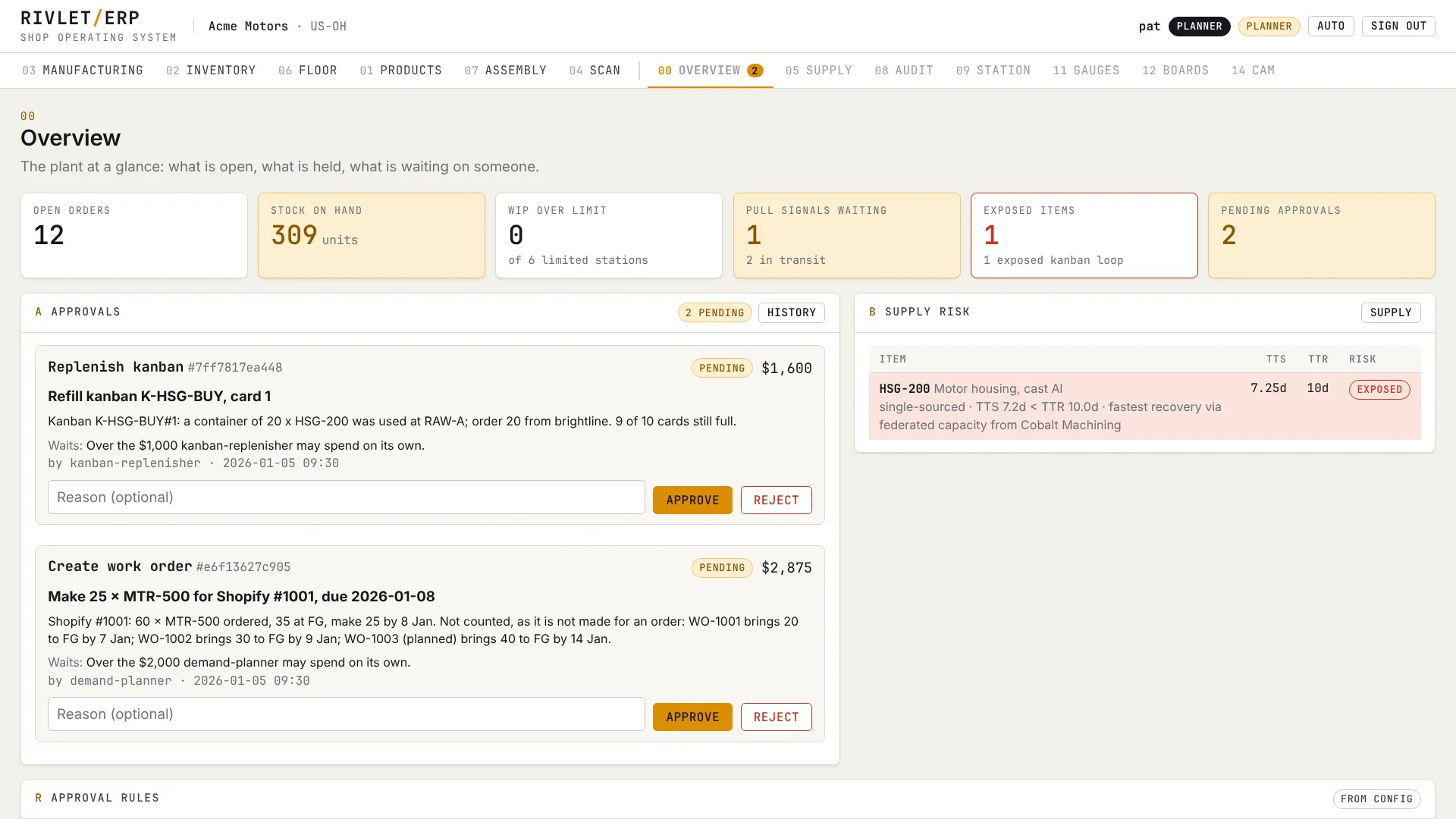
An agent proposes a work order for the other 25, made for Shopify #1001 and worth $2,875 at standard cost. That is over the $2,000 it may spend on its own, so it waits for a person, and the card says why.
demand-planner · 00 Overview
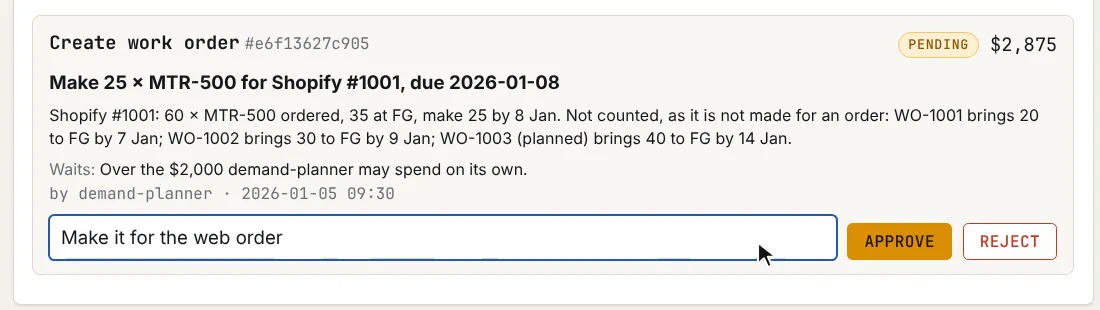
Pat, the planner, approves up to $10,000. Pat types why and approves, and the work order is released at once, labelled with the order it is for. Pat's name and reason stay with the decision.
Pat · planner
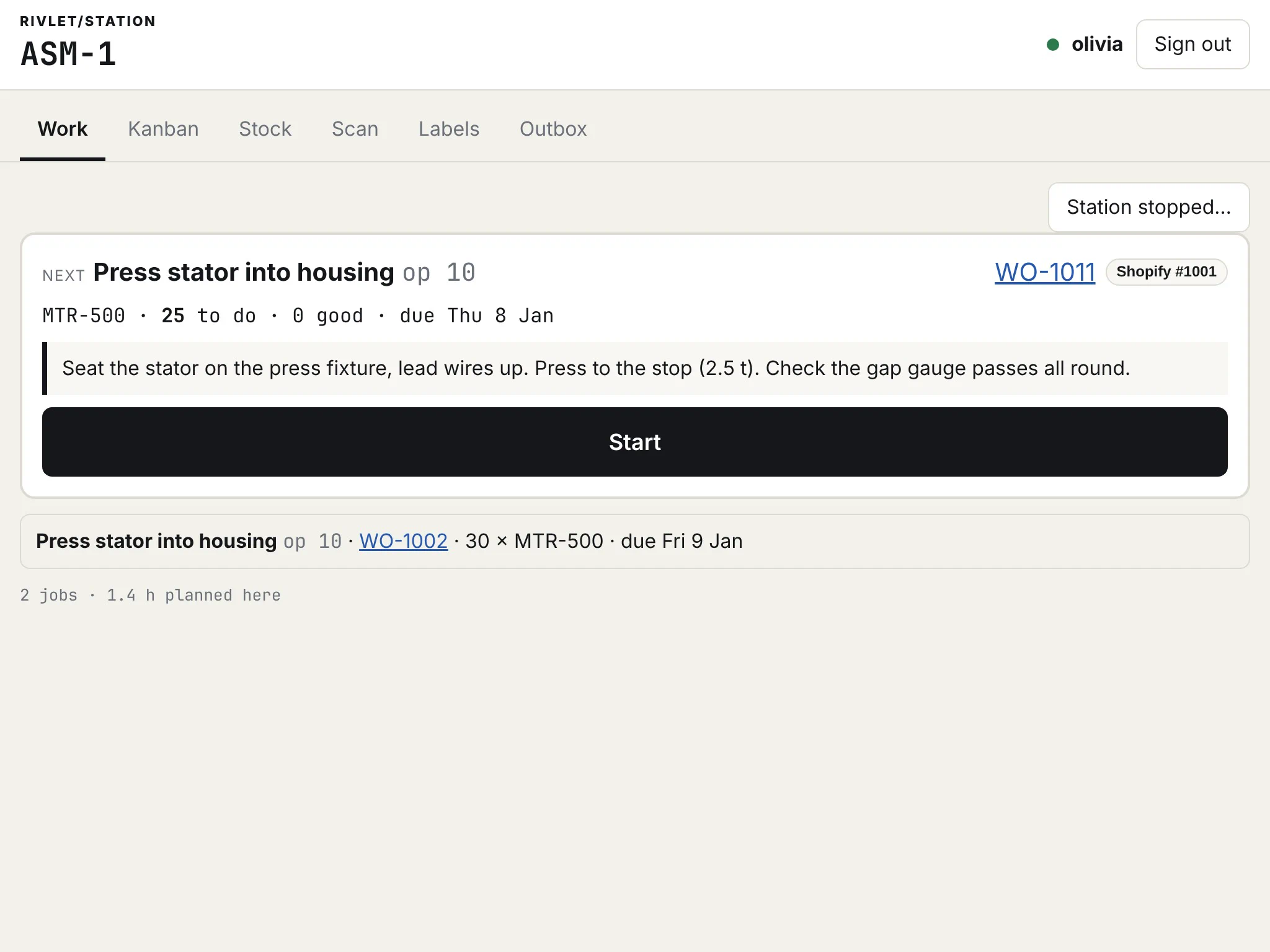
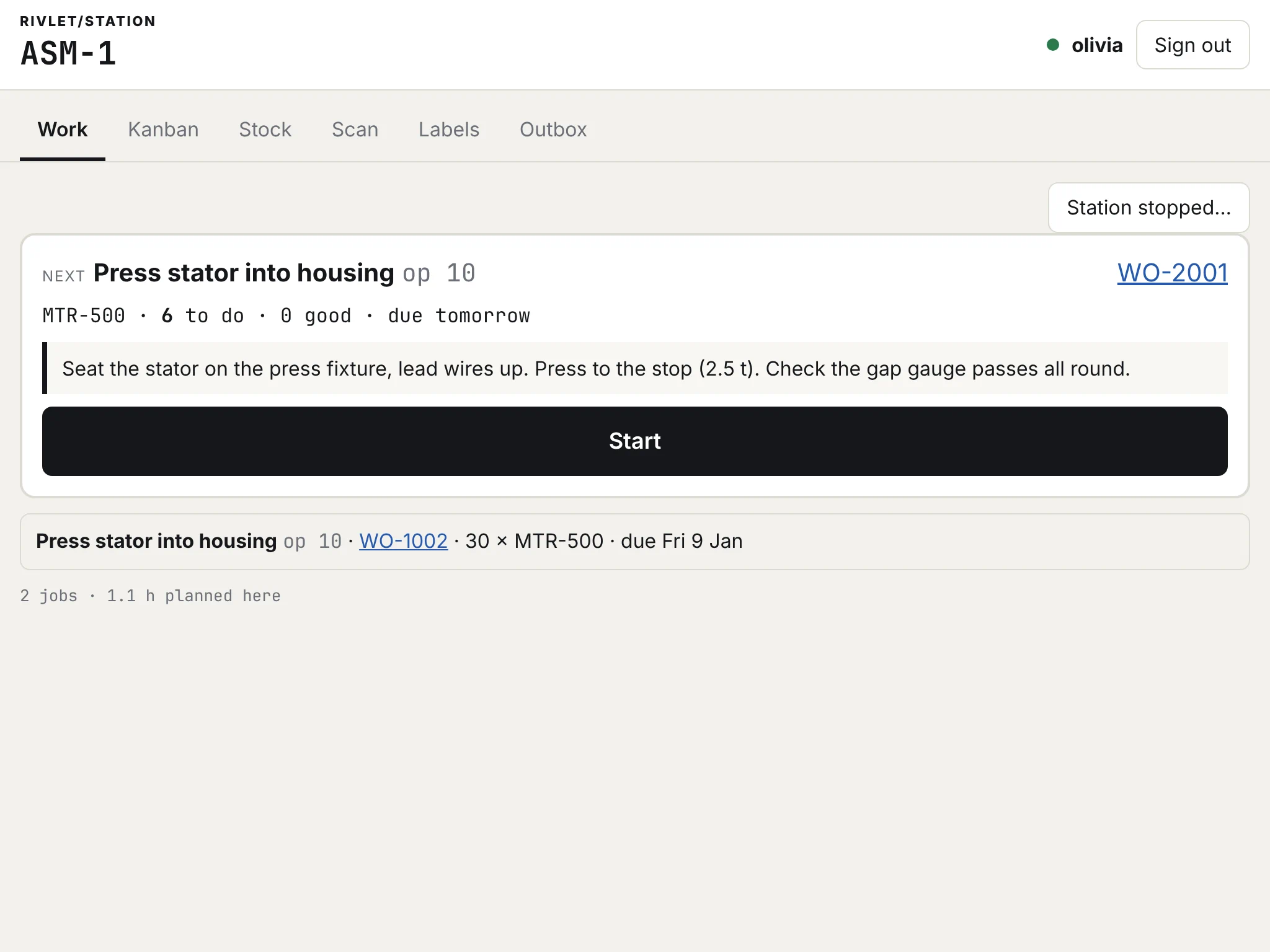
Assembly 1's tablet shows WO-1011 with its Shopify #1001 label. Olivia presses the 25 motors and reports them. Through the day they are wired at ASM-2 and tested at TEST, each step on the record.
Olivia · ASM-1 tablet
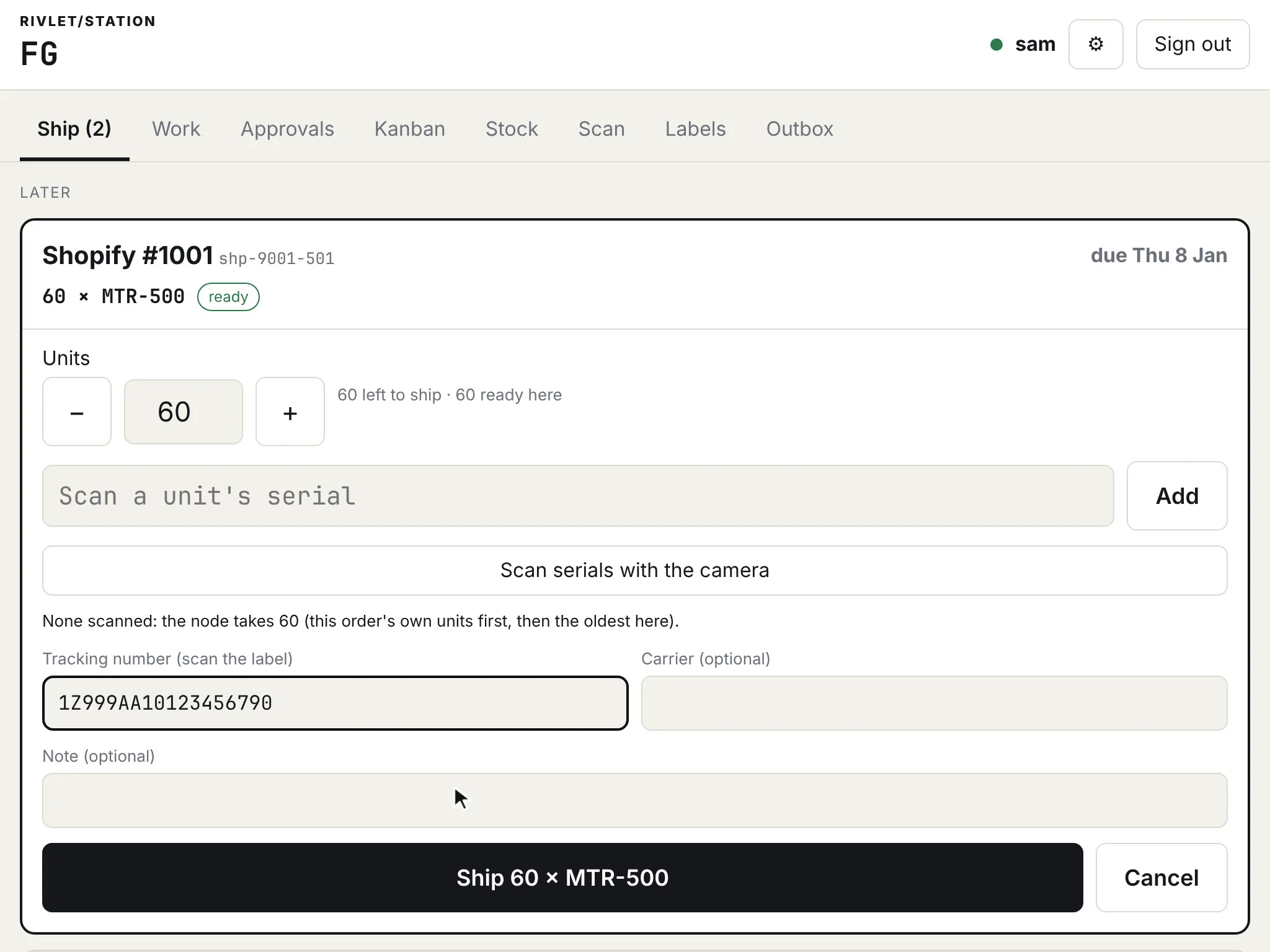
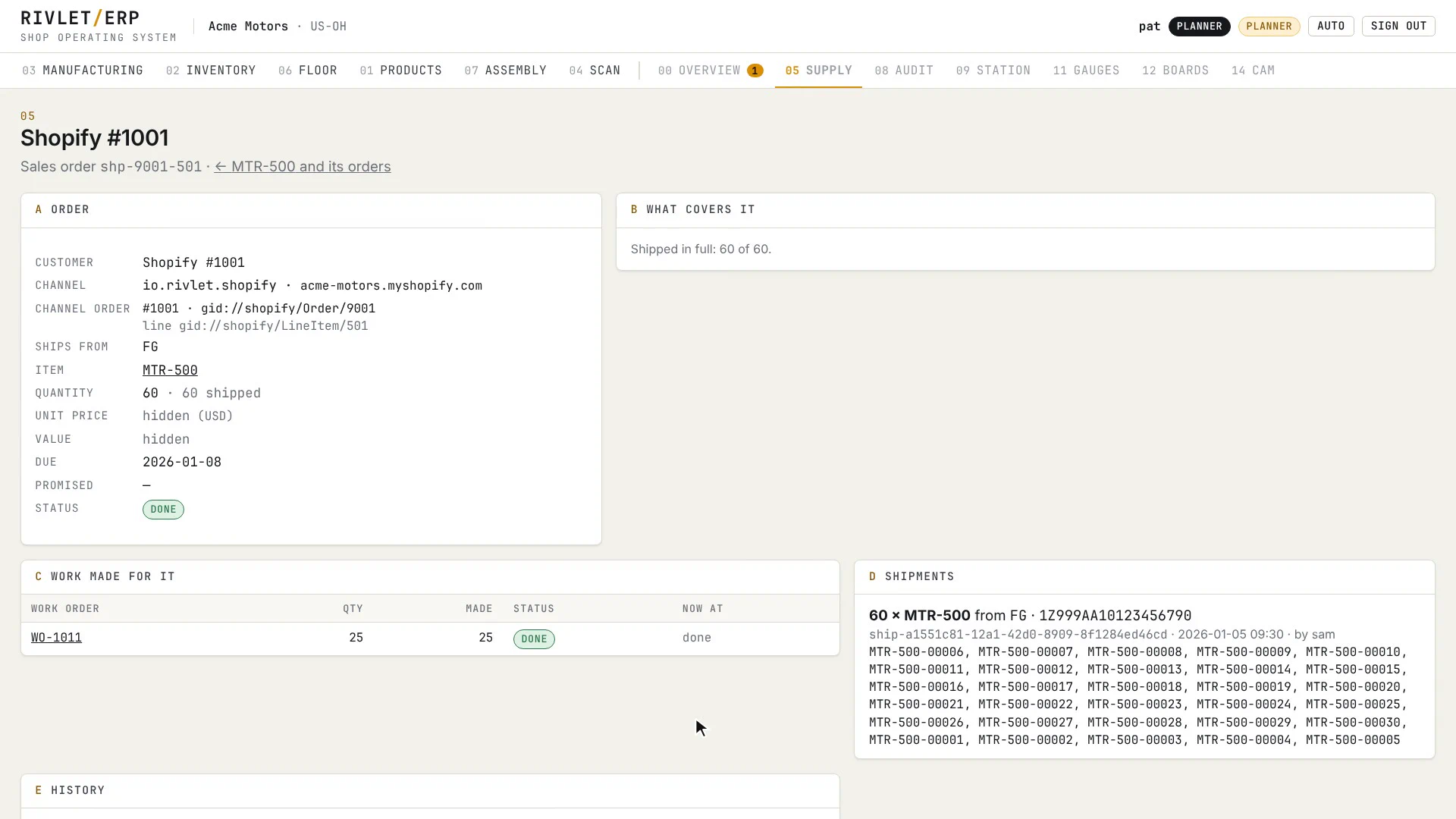
At FG the Ship tab lists the order as ready. Sam ships all 60 with the tracking number from the label. Shipping more than FG holds is refused, in plain words.
Sam · FG tablet
Shopify #1001 reads shipped in full, with the work made for it and the shipment's tracking. The Shopify app turns each shipment into one fulfilment, and the stock Shopify shows matches Rivlet's.
Shopify app · fulfilment
Ordered on the web, made and shipped the same day. Recorded by the app, approved by Pat, made by Olivia, shipped by Sam.
02 On the floor
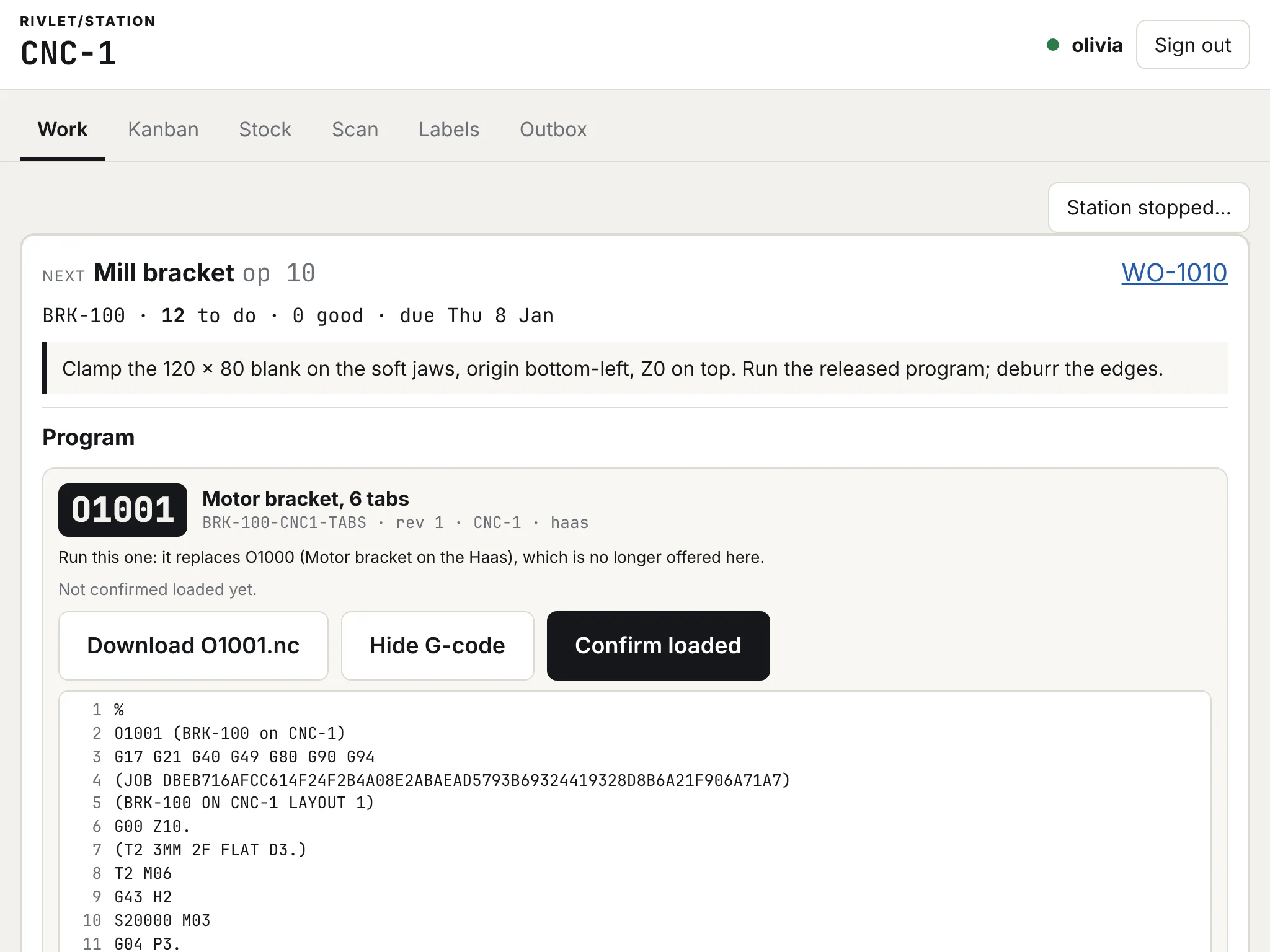
The Station app is where work is done and recorded: the next job and its instructions, good and scrap, stoppages and readings. It keeps working offline, refuses in plain words, and does only what its station may.
The next job on top with its instructions and due date, later ones below. Start, report good and scrap, say why the station stopped, complete. Each report is an event on the record, naming the person and the tablet.
A badge by barcode scanner, an NFC tag, the tablet's camera or a typed code, then a PIN. With nobody signed in, the tablet is read-only.
“This tablet can only move stock in or out of ASM-1. Move it from a CNC-1 tablet, or ask a supervisor.” What it may not do, and what to do instead.
Offline, each change waits on the tablet with the name of whoever made it. Back online it is sent once, automatically. A change the node refuses stays in the outbox with the reason.
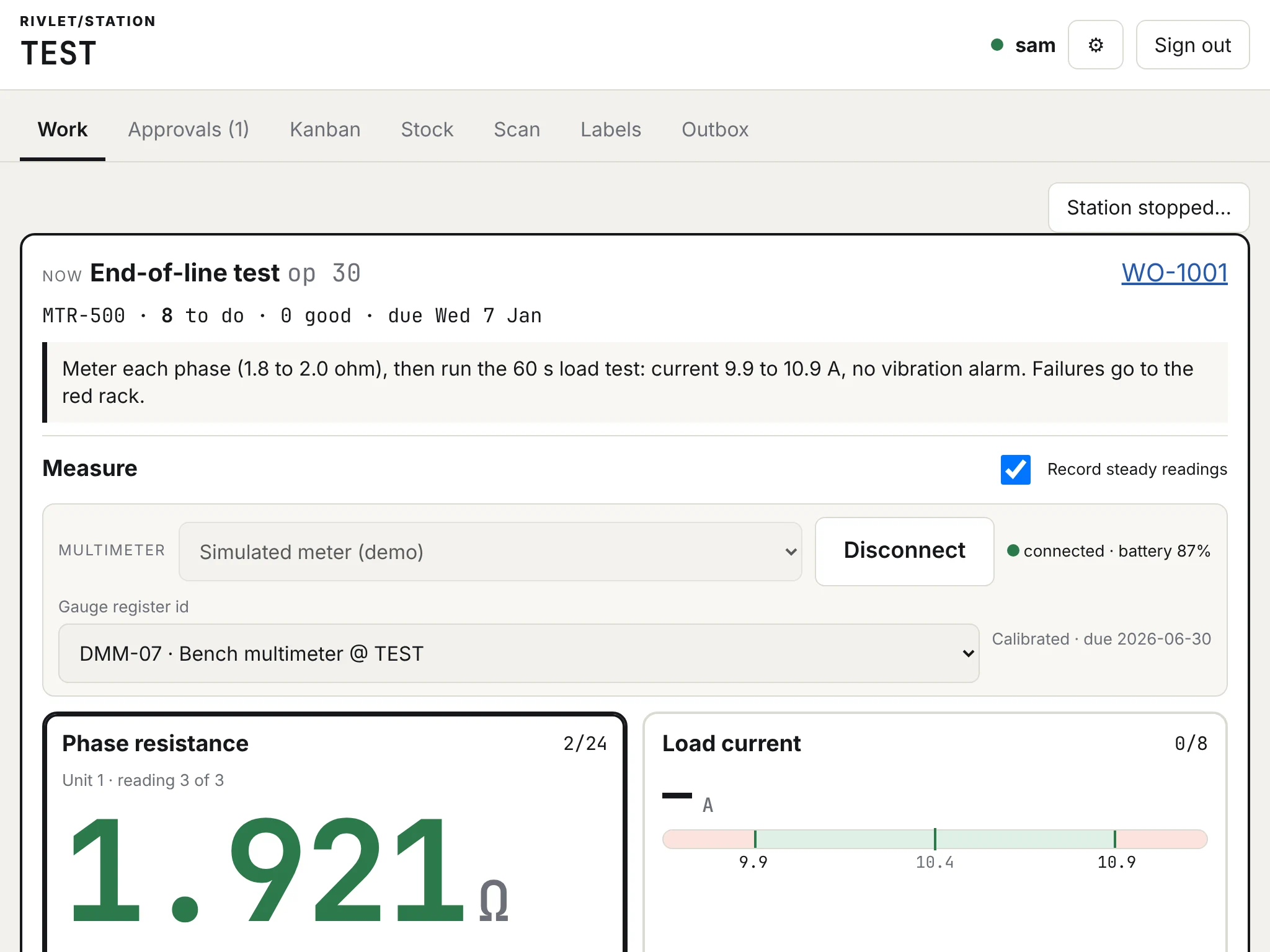
An instrument's live reading against the spec band. A steady in-spec value is recorded by itself. Out of spec, the unit is marked failed and the report counts it as scrap.
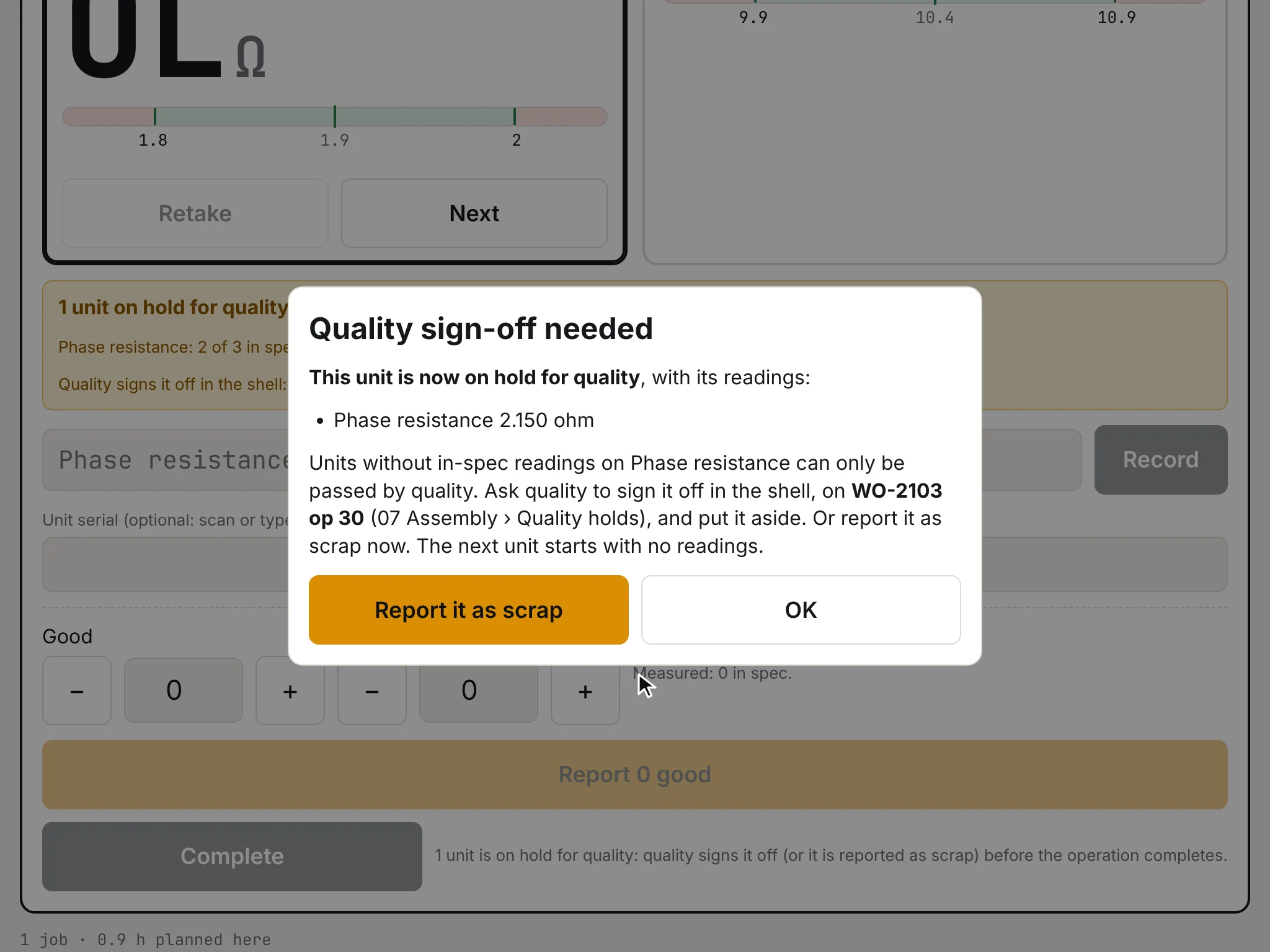
A unit that fails a check set to “quality decides” goes on hold with its readings. Only quality signs it off, with a reason, in the shell.
TV boards
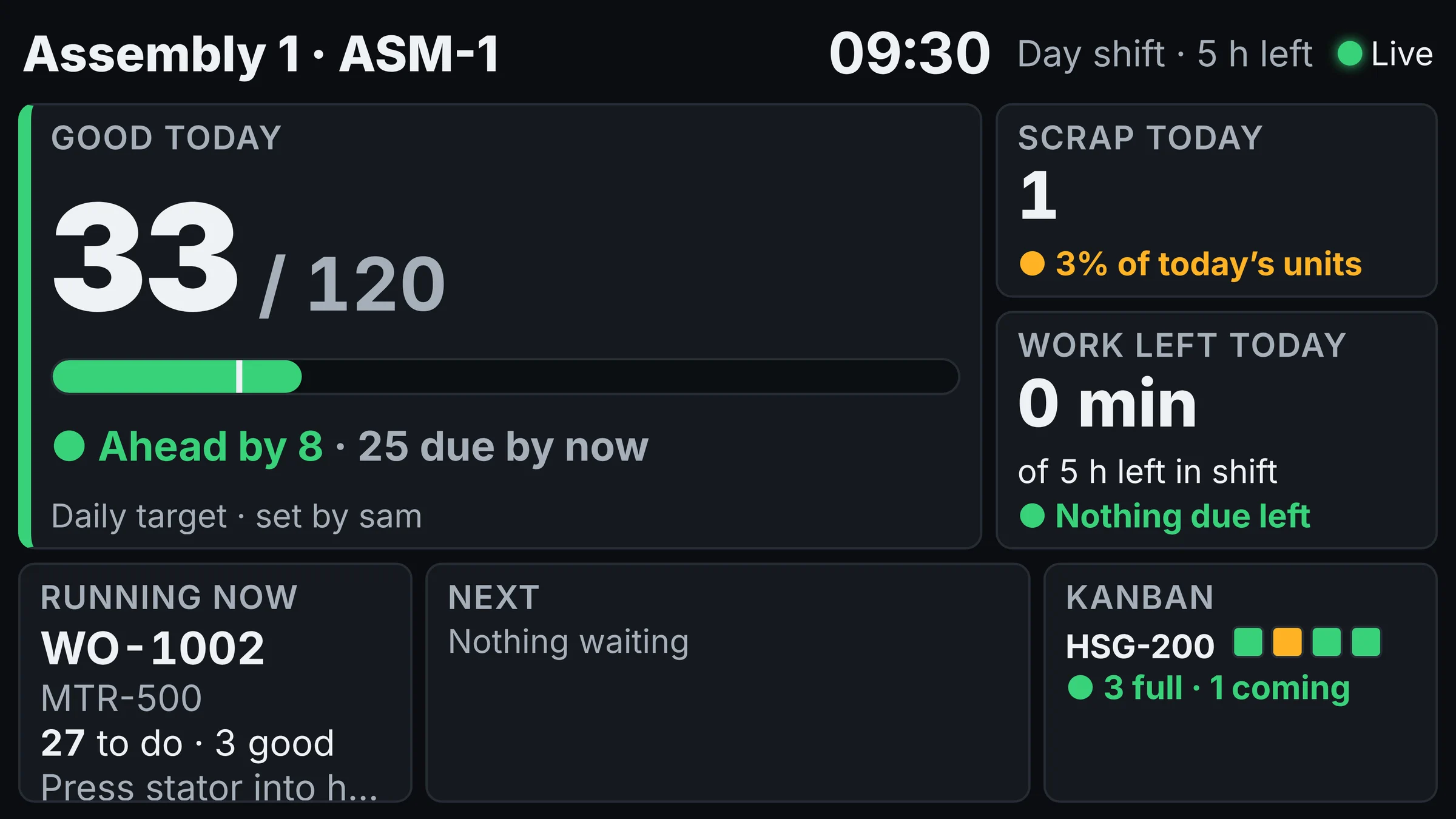
A display enrolls like a smart TV: it shows a short code, and a station manager or supervisor approves it for one station. From then on it shows that station's day, live: done today against the target, ahead or behind, what is running and what is next, each job labelled with the order it is for.
Nobody signs in on it, and it reads its own station's board and nothing else.
Station managers and supervisors see what waits on their station, such as a kanban refill or work to make, and decide it at the tablet with a reason. Over their limit, the tablet says so without naming an amount they may not see:
It is worth more than you may approve (up to $5,000): leave it for someone whose limit covers it.
03 In the office
The shell is the office's web app. Its sections are numbered, 03 Manufacturing, 05 Supply, 13 Finance and the rest, and each person sees the ones their role uses. What a tablet reports, the shell shows.
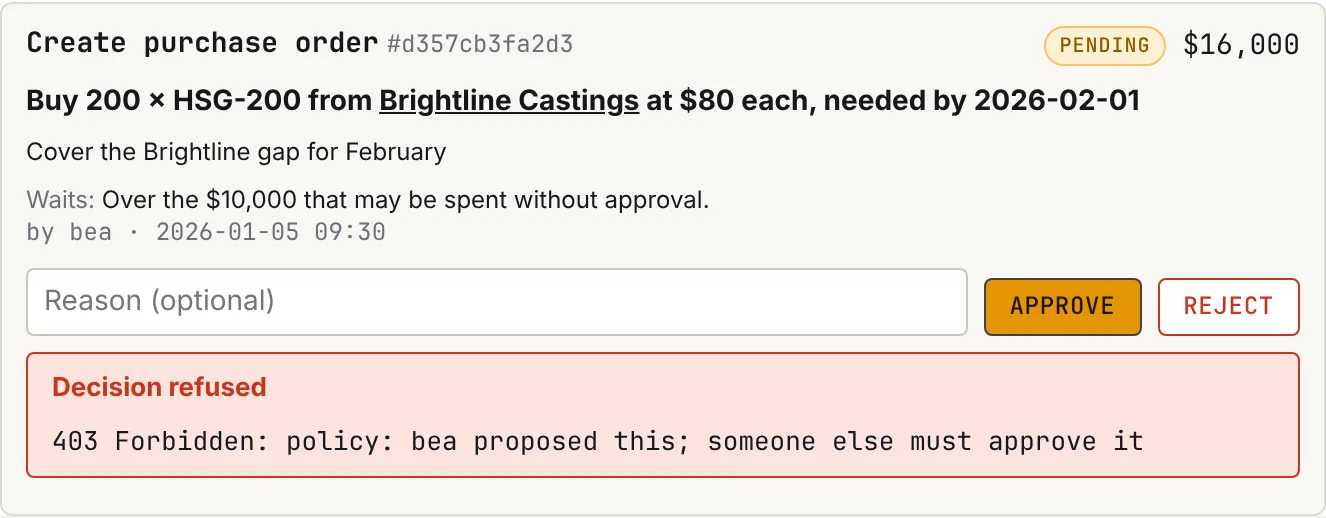
The plant manager's overview leads with what waits for a decision: a purchase order, a kanban refill, work for a web order. Each card says what it does and why it waits, as in “Over the $10,000 that may be spent without approval”, and the decision needs a reason.
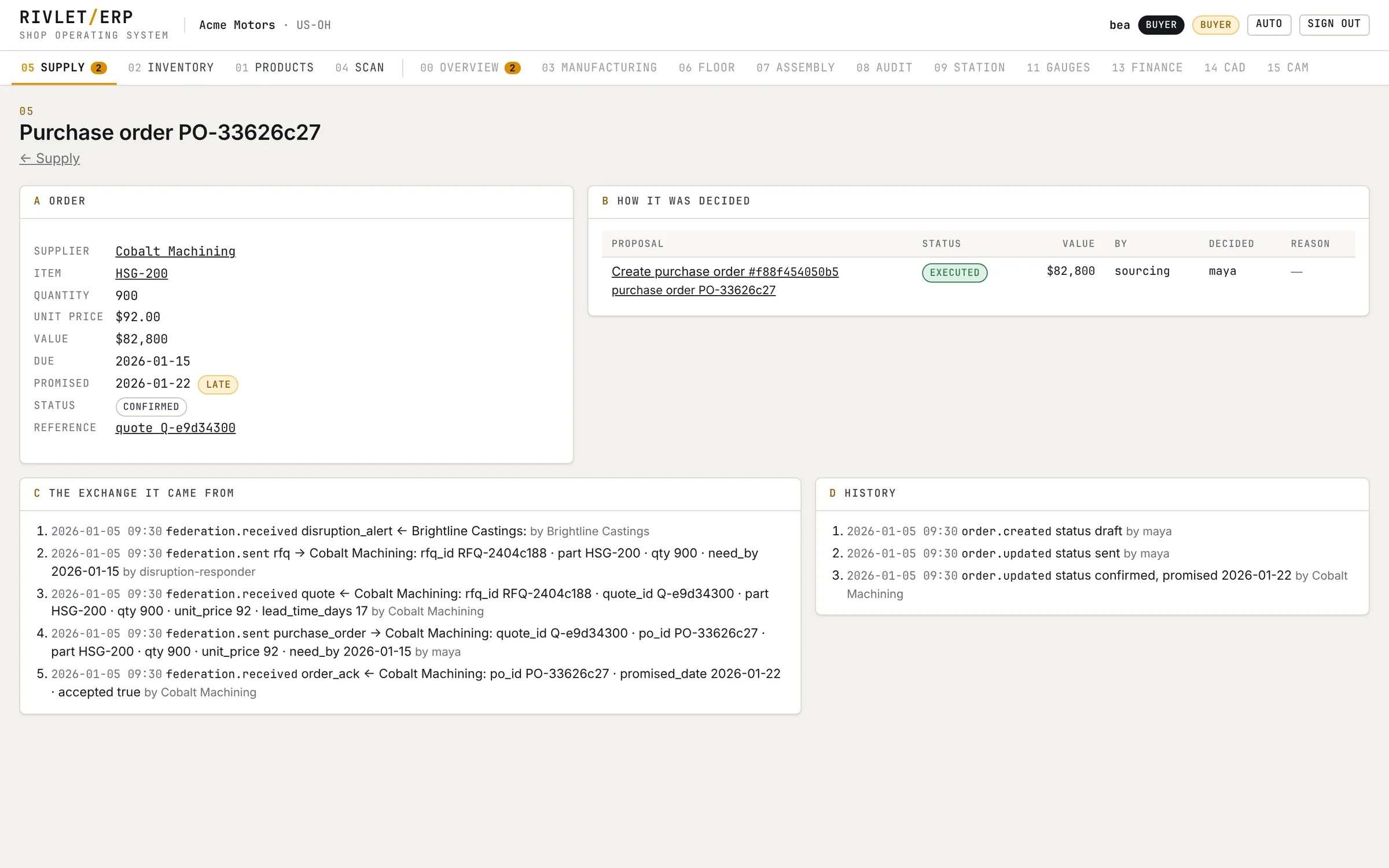
A purchase order, a proposal, a partner, an item or an order opens as a page: the proposal behind it, who approved it and why, the signed exchange it came from, and its history.
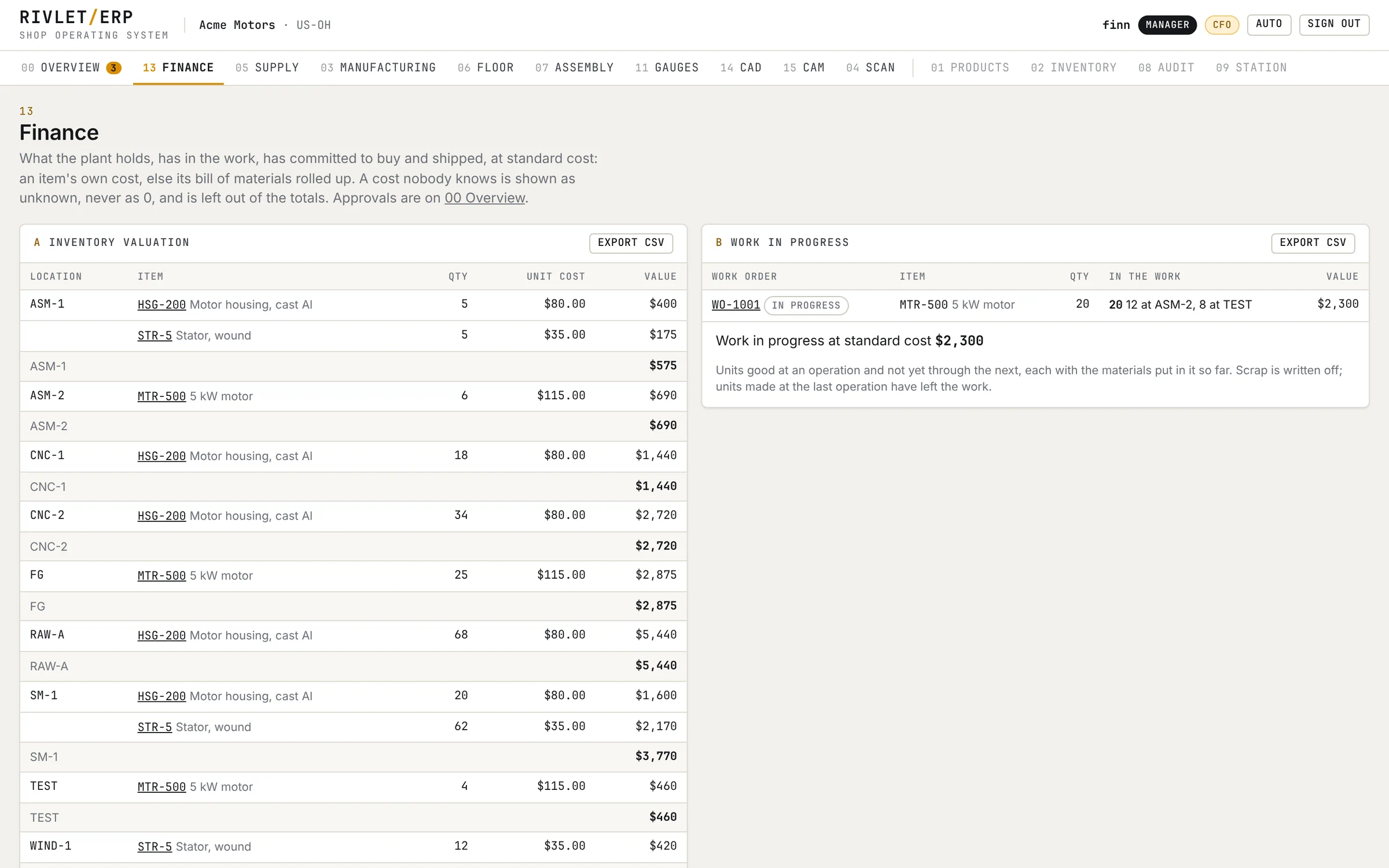
Inventory, work in progress, purchase commitments and shipped revenue and cost, all at standard cost. A cost nobody knows shows as unknown, never as 0. Each report exports as CSV.
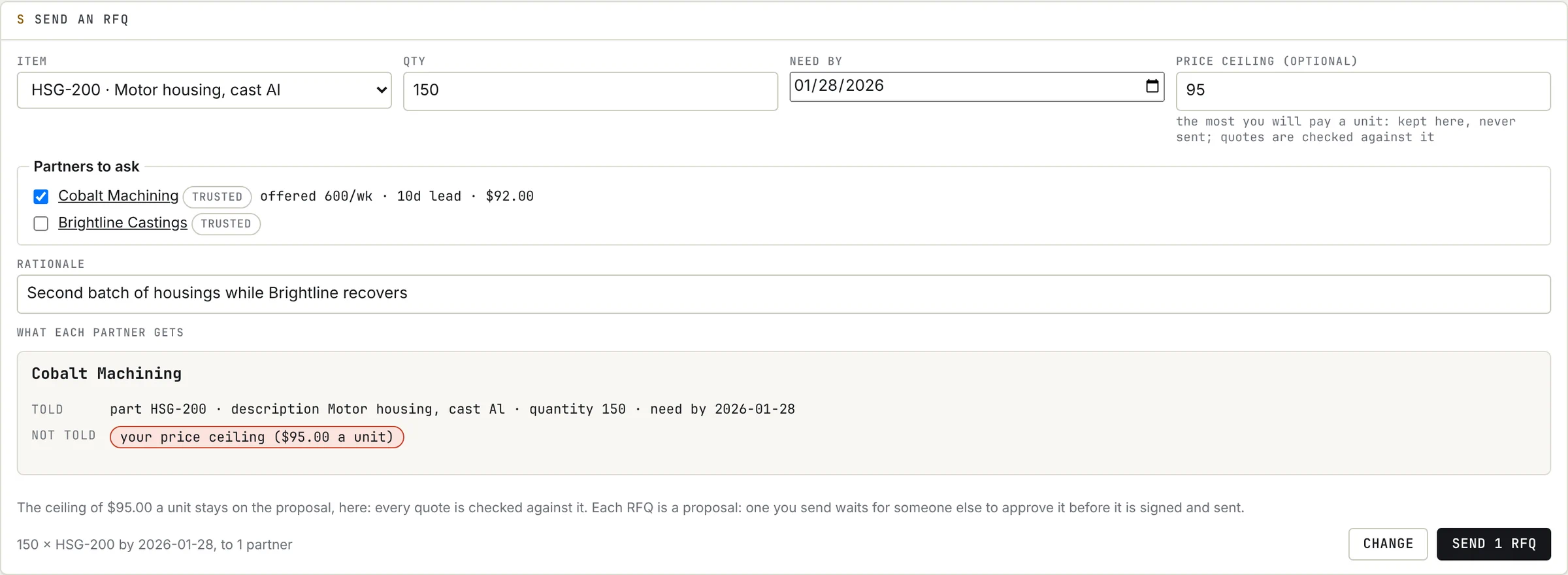
Before an RFQ goes out, its preview shows each partner factory what it will be told and what it will not. Here Cobalt learns the part, quantity and date; the $95.00 price ceiling stays home, and every quote is checked against it.
04 Design to machine
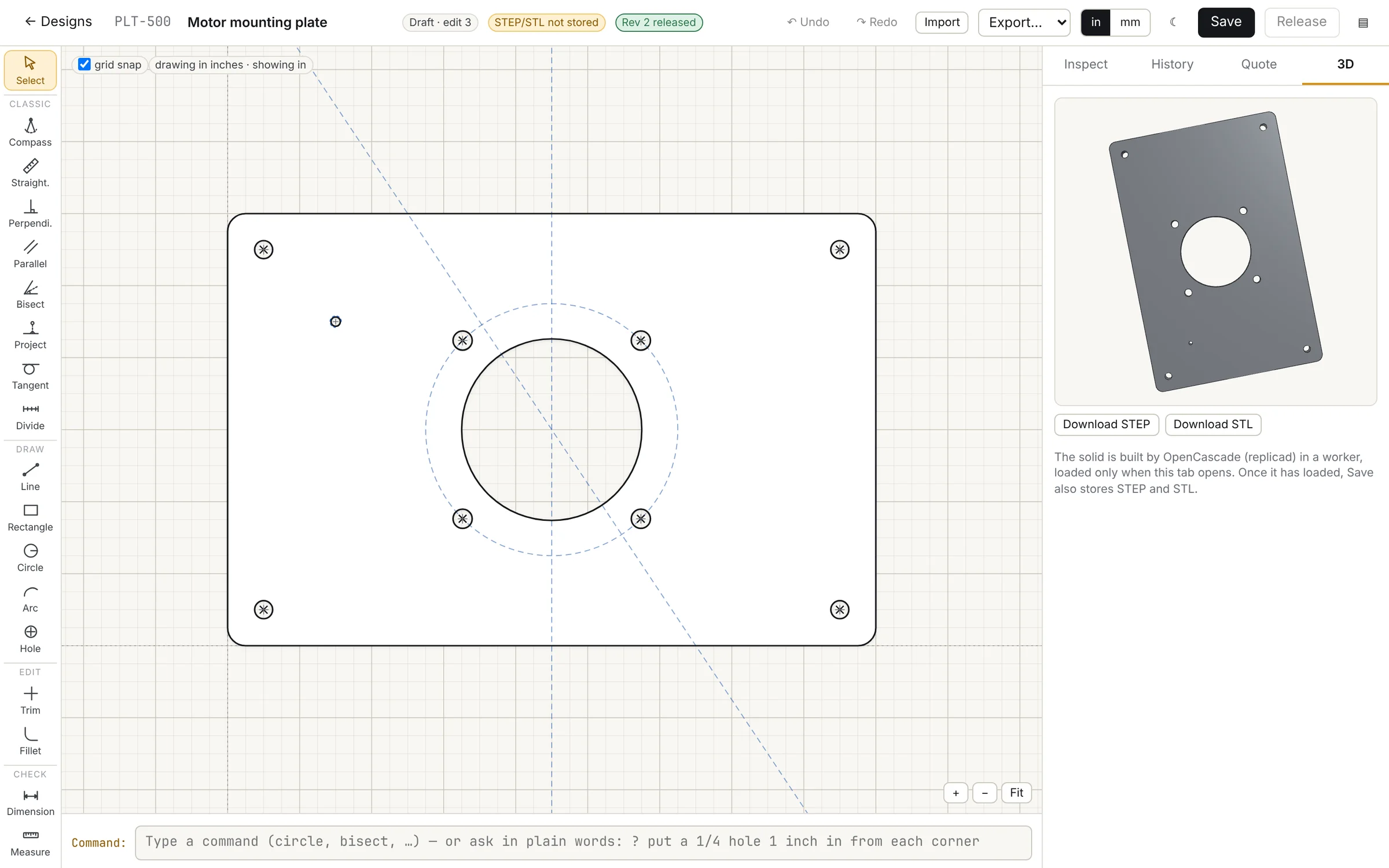
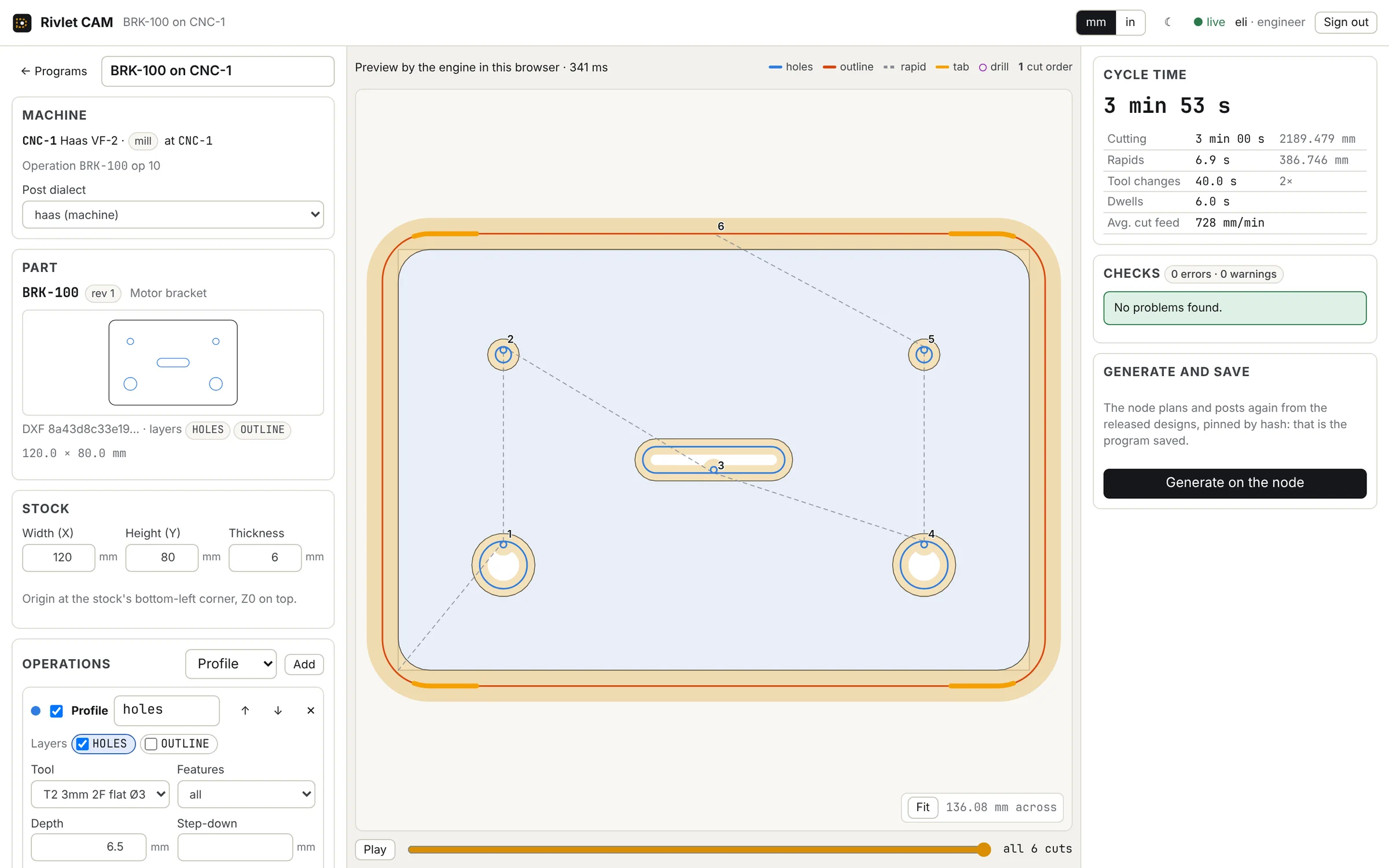
Engineers draw the part in CAD and program it in CAM. A plant manager releases the program, and the machine's station knows which one to run.
01 CAD
Draw the part or import its DXF. Parameters, manufacturability checks, an estimate and a 3D view.
02 CAM
Plan the toolpath with a live preview and cycle time. The node generates it again and confirms it matches.
03 Release
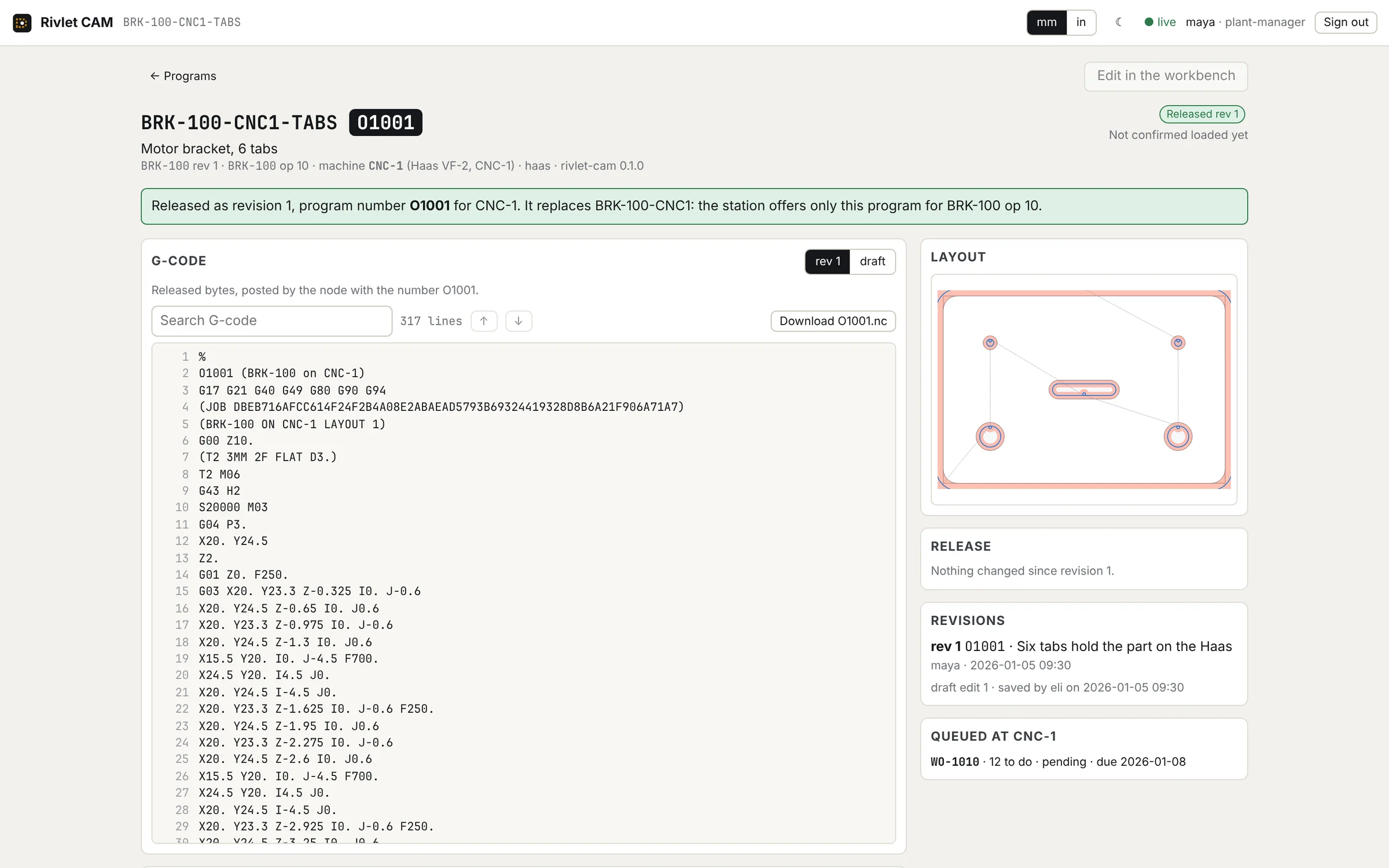
A plant manager releases it with a note, numbered for the machine: O1001, replacing O1000 for that operation.
04 At the machine
The edge bridge delivers released programs to the machine and reports what the controller loaded. At CNC-1 the job says which program to run.
Drafts are never delivered. A machine still holding an old revision says so on the tablet.
05 Governance
The plant's rules decide who may do what, and the record keeps the evidence. People, agents, apps and partner factories all go through the same rules.
| Role | Approves up to |
|---|---|
| Station manager | $1,000 |
| Line supervisor | $5,000 |
| Planner | $10,000 |
| Buyer | $25,000 |
| Plant manager | $250,000 |
| CFO | No ceiling |
Floor operators, quality, engineers and the admin approve nothing. Anything with no known value is over every limit but the CFO's.
Nobody approves their own proposal. A purchase you propose always waits for someone else.
Every change is kept with who made it and when: a person, an agent, an app, a device or a partner. A person's decision always has its reason, and a decision a rule makes names the rule.
Every change to the plant's records is an event. Each record carries the hash of the one before it, so a rewrite shows to anyone who kept a copy of the log's latest hash, as partners do. A log cut short shows at its next message to a partner.
Agents propose work under the plant's rules. Routine work within a limit runs on its own; the rest waits for a person.
RFQs and quotes between partner factories are signed with Ed25519 and sealed so only that partner's node can read them on the way.
The most you would pay is kept on your node and never sent. Every quote is checked against it.
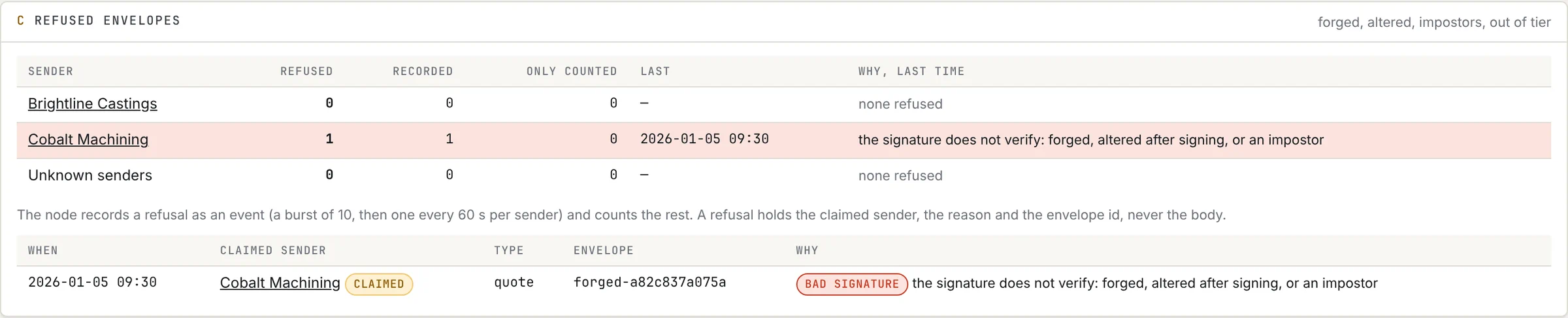
A quote changed after signing, or signed with another key, is refused and counted for that partner.
An app proves who it is with its own key (DPoP), gets short-lived access and holds only the rights it was granted. It never approves.
Watch a partner's quote signed, sealed and checked, with the forgeries refused, or the rules an agent works under.
06 Works with
Other systems reach Rivlet through the same node as people do, under the same rules.
Shopify
A checkout becomes sales orders. Each shipment becomes one fulfilment, and the stock Shopify shows matches Rivlet's.
Partner factories
Other companies' Rivlet nodes. RFQs, quotes, purchase orders and acknowledgements travel as signed messages, and each partner's log is witnessed.
MQTT
A mirror of the plant's events to your own broker.
A2A
An agent card for other companies' agents. What they propose waits under your rules.
MCP and AI assistants
Assistants read the plant and propose actions. Their proposals are governed like anyone's.
Apps
Installed from a manifest you review first. They sign in as themselves (DPoP), with only the rights you grant.
Edge bridge
A small computer beside an instrument or a machine: readings in, released programs out.
HTTP API
What the shell and the tablets do goes through one API, under each person's role.
07 Watch
Twenty-nine captioned films of the product, all from the demo plant. The short films first, then the ones from the manual, by area.
08 Try it
The demo plant opens online soon, at demo.rivlet.io. Each person below will have an account, and each sees and may do only what that role allows, so signing in as two of them side by side shows the rules at work. Everyone will share the one plant, and it will start over every night at 1 a.m. Pacific time.
Until then, the films on this page show each role at work in the same plant. Its clock stands at 09:30 on Monday 5 January 2026, and its partner factories are Brightline Castings and Cobalt Machining.
| User name | Role | Try this |
|---|---|---|
mayaMaya | Plant managerapproves up to $250,000 | See the whole plant, money included. Approve what waits above the others' limits with a reason, such as a purchase over $25,000 that Bea proposes, then open its record to see who decided what and why. |
finnFinn | CFO / financeno ceiling | Read Finance: stock at standard cost, work in progress, what is on order and what shipped. Export it as CSV. |
patPat | Plannerapproves up to $10,000 | Approve the $2,875 work order the demand planner proposed for Shopify order #1001, if nobody has yet today. Plan work orders and kanban loops; anything over $10,000 waits for someone else. |
beaBea | Buyerapproves up to $25,000 | Ask a partner factory for a quote and see what it is told and not told before it goes. Like any purchase Bea proposes, it waits for someone else to approve it. |
samSam | Line supervisorapproves up to $5,000 | Approve the $1,600 kanban refill for Brightline housings, if nobody has yet today. Set the day's targets, and approve a TV board. |
oliviaOlivia | Floor operatorASM-1 only | At the ASM-1 station: start a job, report good units and scrap, pull a kanban card. Moving stock at another station is refused, and so is Olivia's badge at another station's tablet. |
quinnQuinn | Qualityapproves nothing | Keep the gauge register: readings from an instrument past its calibration date are refused. A unit that fails a check set to Quality decides waits on hold until Quinn signs it off or scraps it. |
eliEli | Industrial engineerapproves nothing | Lay out the floor, draw a part in CAD, and make a machine program in CAM for the released bracket BRK-100. A new part must be released, which takes an approver, before CAM can program it. |
adaAda | Adminapproves nothing | Look around Admin: people, roles and limits, badges, tablets and apps. The demo's nine people and its apps stay as they are. Make a code to enroll a tablet. |
See for yourself
01 Watch
Seventy-three seconds: a web order through the plant, the shell beside two station tablets.
02 Read
The user manual: fourteen chapters by role, in plain words, with the same pictures and films.
Read the manual PDF · 163 pages · 51 MB03 Run
The demo plant on your own machine, from the repository. It needs Rust 1.95 or later and Node.
npm --prefix web ci && npm --prefix web run buildcargo run --release -- demo --serve 127.0.0.1:8740 --ui web/distThen open http://127.0.0.1:8740/app/ and sign in with one of the tokens the demo prints, one per person. Its clock stands at Monday 5 January 2026, 09:30.